Rename An Op Code Group
This document will describe how to rename an op code group within TimeAi.
Only an admin can rename an op code group!
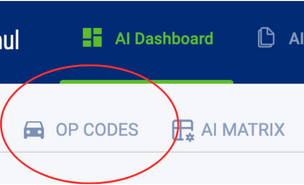
First, navigate to the Op Codes page on the TimeAi dashboard.
Click the 'Edit Tracked Op Codes' button to go to the 'Op Codes Tracking' page within the TimeAi Administration section.
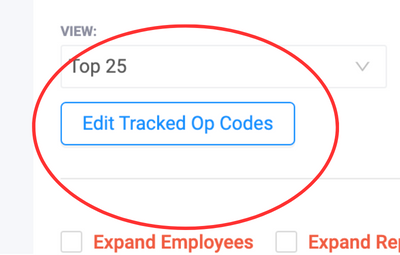
Op Codes Tracking Administration
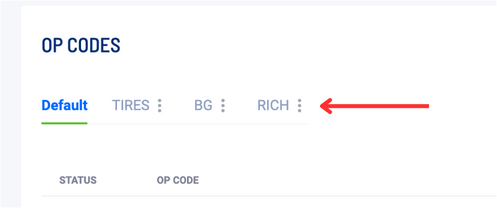
At the top of the Op Codes Tracking administration page, there will be a list of op code groups. Any custom group can be renamed. Click on the verticle 3-dot menu icon next to the op code group name to display the menu options.
The 'Default' group cannot be renamed or deleted.
Click 'Edit Group'. A new window will be shown to edit the group name.
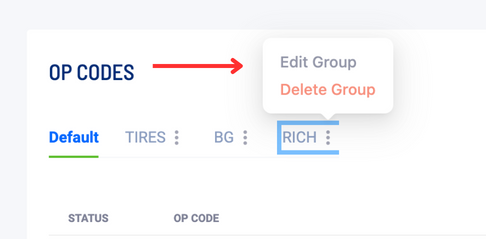
Rename the Op Code Group
With the 'Edit Group' window shown, click on the text box containing the current group name. Replace the text with the desired op code group name. Then click Save.
